

Groups To Single Tile
The Groups To Single Tile mode packs UV islands split by the user into a number of groups. All groups are packed into a single target box (the default unit UV square, or the custom target box if the Custom Target Box functionality is enabled), but every group is packed into its own part of that box. As a result islands belonging to different groups never mix with each other.
Unlike in the Groups To Tiles mode, you don’t have to configure where particular groups are packed - the packer does that for you. It tries many ways of splitting the target box into group subboxes, checks how well the islands fit into each split and finally packs the islands into the best split found.
In order to use the Groups To Single Tile packing mode select it from the Packing Mode selection menu.
The Groups To Single Tile mode is a group-based mode, that is why the Grouping (Packing) multi panel will be displayed in the addon UI after the mode is selected:
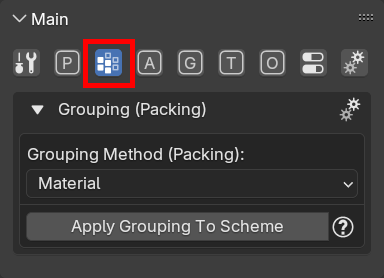
Note: the Grouping (Packing) multi panel is visible if and only if a group-based packing mode is selected in the Packing multi panel.
In the Grouping (Packing) multi panel you specify a method to divide all islands to a specific number of groups (an automatic or manual method), in the same way as described for the Groups To Tiles mode.
How the target box is split
The target box is split into group subboxes by straight cuts only: the box is first cut into slices along one axis, and a slice may then be cut further along the other axis. The packer tries different layouts of such cuts and different proportions of the subboxes, packs the islands into each of them and chooses the split with the smallest area of islands which couldn’t be packed (from splits which are equal in that respect, the one with the largest packed area wins). The chosen split is then packed once again, this time with all the packing options applied (for example the Heuristic Search).
A few rules to keep in mind:
- Only groups which contain at least one of the islands being packed take part in the split - a group with no islands doesn’t get any part of the target box.
- The mode supports at most 5 groups with islands. Packing more groups results in an error.
- Groups are not treated equally: a group with a higher priority never gets a smaller subbox than a group with a lower priority. How the priority of the groups is determined depends on the Priority Mode option (read below).
- The target boxes configured for particular groups in the grouping scheme are ignored by this mode.
Grouping scheme options
The mode displays the following options in the grouping options:
Texel Density Policy
Determines how relative texel density of particular groups will be handled during packing. The option works in the same way as in the Groups To Tiles mode - read the description of the option on the Groups To Tiles page.
Probing Resolution
Determines how many splits of the target box into group subboxes the packer tries. The higher the value, the more splits are tried - the result may be better, but packing takes longer.
The packer packs the islands into every split tried, so the packing time grows with the number of splits. The number of splits also grows with the number of groups.
Priority Mode
Determines which groups get larger subboxes. It can be set to one of the following values:
-
GROUP ORDER
The priority follows the order of groups on the groups list: a group never gets a smaller subbox than any group after it on the list. Place the most important groups at the top of the list. This is the default value. -
ISLAND AREA
The priority follows the total area of the islands in the group: the larger the total area of the group islands, the larger subbox the group gets. The order of groups on the groups list doesn’t matter in this mode.The island area is measured after the islands were prepared for packing, so it takes into account the functionalities which scale islands before packing (for example Normalize Scale).
Apply Boxes To Scheme
This option is only available with the Grouping Scheme (Manual) grouping method. When it is enabled, after the packing is done, the addon:
- sets the target boxes of the groups in the grouping scheme to the group subboxes the islands were packed into (every group containing islands gets a single target box, the target boxes of groups with no islands are left untouched),
- sets the Group Layout Mode option of the scheme to MANUAL,
- switches the active packing mode to Groups To Tiles.
As a result, you can use the Groups To Single Tile mode to find a good group layout once and then keep repacking the islands into the same layout using the Groups To Tiles mode (or adjust the boxes manually in the Box Edit mode).
The target boxes are only applied if the packing operation produced a result. The packing mode is not switched when the operation is run by the auto-repack functionality.
Note: the whole grouping scheme is updated to the state it had when the packing operation started - if you modify the scheme while packing is still in progress, your changes will be reverted.
Per-group options
- Texel Density Cluster - displayed if the Texel Density Policy option is set to CUSTOM. Groups sharing the same value have their relative texel density maintained.
- Override Global Options - lets you override the global packing options for the given group.
Limitations
- The Resume Search operation is not supported by this mode. As a workaround, pack with the Apply Boxes To Scheme option enabled: after packing is done the active packing mode is switched to Groups To Tiles with the group boxes found by the operation applied to the grouping scheme, so you can run Resume Search in that mode to keep improving the result within the same group layout.
Supported packing functionalities
The mode supports the following packing functionalities: